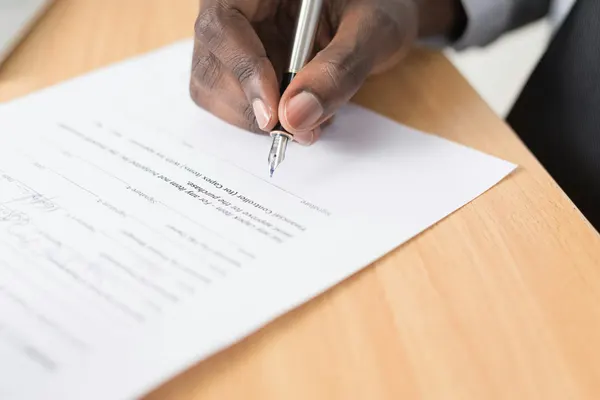
eCheck Processing: How to Accept eCheck and ACH Payments
eCheck processing lets you get paid straight from a customer's U.S. bank account over the ACH network, the system U.S. banks use to move money between accounts. On large and recurring bills it usually costs far less than a card. The trade-off: the money takes days to arrive, and a payment can come back.
eCheck processing (also called electronic check processing) is bank account payment processing: you take payment straight from a customer's bank account as an ACH debit. The customer gives you their routing and account numbers and their permission, and your payment gateway pulls the money from their account. Here's what Authorize.Net's own pages said on October 13, 2026:
→Cost: 0.75% per eCheck on its direct pricing, which "may be based on cumulative or stepped tier pricing," with a $10 monthly minimum. Its eCheck page says card fees "often range from 2% to 4%."
→Timing: processing "typically takes three to five business days," says its eCheck page. Its developer guide says merchants "might wait up to seven days."
→Who: U.S.-based businesses, taking payments from U.S. bank accounts.
→Refunds: eChecks taken online (WEB) or by phone (TEL) can't be refunded through the gateway.
Through a provider, prices, limits and funding times vary, so ask for them in writing.
Five steps take the money from your customer's bank to yours. The ODFI is your bank, the one that sends the debit into the ACH network. The RDFI is the customer's bank, the one that pays it or sends it back.
What an eCheck is, and how it differs from a card
An eCheck is an electronic version of a paper check: a one-time or scheduled debit from a checking or savings account, with no paper involved. The big difference from a card is approval. Authorize.Net's developer guide says eCheck payments "do not receive immediate authorization from the customer bank." The gateway accepts the payment, but the customer's bank can still send it back days later.
→What you need: the routing number, the account number and the customer's permission.
→Who moves the money: you pull it from the customer's account. With a wire, the customer pushes it to you.
eCheck works best where the lower fee matters and a few days' wait doesn't. Answer four quick questions to see how it fits.
Answer the four questions to see how well eCheck fits.
In short: eCheck tends to fit U.S. businesses with larger payments, invoices to other businesses, or recurring bills, where a lower fee matters more than speed. It fits less well for small one-off sales that ship right away, because the money takes days to arrive.
The businesses that get the most from eCheck have large payments, recurring bills or business customers. The "SEC code" column is the Standard Entry Class code: a three-letter label for how the customer gave permission. Phone payments (TEL) can fit any row.
Business
Typical SEC code
Why eCheck fits
Rent and HOA dues
PPD (signed form) or WEB (online)
The same large amount every month, where a percentage card fee adds up
Nonprofits and churches
PPD or WEB
Recurring gifts, with more of each gift kept by the cause
B2B invoices
CCD
Business customers often pay large invoices from business checking
Memberships and gyms
PPD or WEB
Monthly dues, with no card expiry dates to chase
Tuition and daycare
PPD or WEB
Large payments on a set schedule
Home services and contractors
WEB, PPD or CCD
Deposits and big jobs paid from an invoice
Healthcare and dental payment plans
PPD
Installments set up on a signed agreement
Insurance premiums
PPD or WEB
Scheduled premiums that customers expect to pay from the bank
Auto and other high-ticket sales
WEB or PPD
The saving grows with the price. Wait for funds to settle before you hand over the goods
High-risk businesses
Depends on how customers pay
A second way to pay next to cards. Whether eCheck is available depends on the provider and what you sell. See high-risk merchant accounts
eCheck is a poorer fit when you ship right away on low-margin orders, when customers expect instant confirmation, or when many of your buyers bank outside the U.S.
What eCheck costs
Authorize.Net's pricing page lists these direct eCheck fees (checked October 13, 2026). On a $2,000 invoice, 0.75% is $15. Through a provider, the provider sets the rate, minimum and return fees, so get every fee in writing. These are Authorize.Net's prices, not START's.
Fee (Authorize.Net direct)
Published price
Discount rate
0.75% of each eCheck (cumulative or stepped tier pricing)
Monthly minimum
$10
Returned item
$3 each
eCheck chargeback
$25 each
Gateway + eCheck plan
$25/month
Card cost / month
$586.00
eCheck cost / month
$150.00
Difference / month
$436.00
Example: $20,000 a month in $1,000 payments. Cards at 2.9% + 30¢ cost $586.00; eCheck at 0.75% costs $150.00.
Uses Authorize.Net's published direct prices, checked October 13, 2026: eCheck 0.75% of each payment with a $10 monthly minimum and $3 per returned payment; cards at its All-in-One price of 2.9% + 30¢. These are not START's prices, and gateway monthly fees are left out. Prices through a provider vary, so ask for them in writing.
Longer than a card. Authorize.Net gives two answers: its eCheck page says processing "typically takes three to five business days," and its developer guide says merchants "might wait up to seven days." Plan around the longer number until you see how your own deposits run. There's no instant approval, because the customer's bank only pays or returns the debit after it arrives.
→Same Day ACH: the ACH network can settle payments of up to $1 million each on the same day (a Nacha limit since March 2022). Whether you can use it depends on your provider.
A return is the customer's bank sending the payment back, with a code that says why. The common ones are R01 (not enough money), R02 (account closed), R03 and R04 (no such account, or an invalid number) and R10 (the customer says they didn't authorize it). Most come back within a few banking days, but a consumer's claim that a debit wasn't authorized can come back up to 60 days later.
→Return-rate limits: since 2015, Nacha's rules have set levels that trigger a review of a business's debits: 0.5% unauthorized, 3.0% administrative (closed or invalid accounts) and 15.0% overall.
Nacha, the organization that writes the ACH network's rules, sets how you get permission for each type of eCheck. Federal Regulation E protects consumer bank accounts.
Which SEC code fits each payment
Every eCheck carries an SEC code that says how the customer authorized it. The code decides whether you can refund through the gateway and charge on a schedule. Authorize.Net's developer guide lists:
Every eCheck needs the customer's authorization, and its form follows the SEC code: checkout wording online, a recorded call or written confirmation by phone, a signed form for PPD, and an agreement with business customers. For recurring debits from consumer accounts, Regulation E requires a written authorization, "signed or similarly authenticated," and a copy for the customer. Keep a record of every one; it's your best defense if a payment is disputed.
An eCheck is one kind of ACH payment: a debit you pull. An ACH credit is one the customer sends from their own bank. Here's how the four ways to get paid compare.
Since March 2021, Nacha has required account validation, a check that the account number is real, the first time an account number is used for an online (WEB) debit or when it changes. Authorize.Net says it has checked account numbers on WEB payments and the first payment of a recurring subscription since March 18, 2022. That catches typos and made-up numbers, but it isn't a balance check.
The 2026 Nacha fraud-monitoring rule
Nacha now requires businesses that send ACH debits and credits, other than consumers, to have risk-based processes meant to catch payments made because of fraud, and to review them at least once a year. The largest (6 million or more ACH payments in 2023) had to comply by March 20, 2026, and every other business originator by June 2026 (Nacha lists June 19, a federal holiday, so in practice June 22).
The habit that helps most: don't ship high-value orders until the funds settle.
How to accept eCheck payments
To take eChecks you need two things: a merchant account set up for eCheck (also called an eCheck or ACH merchant account), and a gateway that sends the debits. Here's the order we'd follow:
1Get a merchant account and the Authorize.Net gateway with eCheck.Net through START. Authorize.Net refers merchants to us: we find the acquiring bank that fits your business, underwrite the merchant account and connect it to the gateway. No merchant account yet? Apply for a merchant account.
2Get the terms in writing. The rate, monthly minimum, return and chargeback fees, limits per payment and per month, and how long funding takes.
3Pick your SEC types. WEB for online checkout, TEL for phone orders, PPD for signed consumer forms, CCD for business customers.
4Write your authorization wording. Checkout text, a phone script or a signed form, and a way to keep the records.
6Test with one real payment. Watch when it funds, and plan your cash flow around that.
Already on Authorize.Net? See Authorize.Net eCheck.Net for how eCheck is added to an existing gateway account, then tell us who set up your merchant account.
Not sure eCheck fits how you bill?
Tell us what you sell and how your customers pay, and we'll tell you whether eCheck fits and what it would cost you, in writing.
U.S. businesses, U.S. bank accounts. Authorize.Net's pricing page says "eCheck only available for businesses based in the U.S.," and its developer guide describes eCheck.Net as a way for "customers with US bank accounts" to pay. A customer who banks only outside the U.S. can't pay you by eCheck.
Canada: a Canadian business can't add Authorize.Net eCheck, even if it uses the gateway for cards. See Authorize.Net in Canada for what the gateway does there, and ask us about bank payment options for Canadian accounts.
Paying a business by eCheck?
If a business asks you to pay by eCheck, you'll enter your routing and account numbers on its checkout or invoice, or give permission by phone or on a signed form. For a personal account, Regulation E lets you stop a recurring debit by telling your bank at least three business days before it's due. Report an unauthorized one within 60 days of the statement that shows it.
Authorize.Net refers merchants to START to set up the merchant account behind the gateway. One company sets up and supports both, so cards and eCheck run through the same gateway account.
20+ years with Authorize.Net
More than two decades with the gateway and over 60,000 Authorize.Net accounts set up.
One setup, two accounts
Your merchant account and your gateway, set up together.
Interchange-plus on cards
The card networks' cost plus a set markup, not a flat rate.
Registered with Elavon
A registered MSP/ISO of Elavon, Inc.
Real people in Salt Lake City
Monday to Friday, 9 to 5 Mountain Time, at 888-573-7587.
eCheck processing FAQ
Is an eCheck the same as ACH?+
An eCheck is one kind of ACH payment: a debit the business pulls from the customer's account with permission. ACH also covers credits, where the payer's bank sends the money, such as payroll deposits. eCheck vs ACH, wire and card →
How much does eCheck processing cost?+
Authorize.Net's direct pricing (October 13, 2026) lists 0.75% per eCheck with a $10 monthly minimum, plus $3 per return. Through a provider, prices vary, so ask for them in writing. eCheck and ACH processing fees →
Do I need a separate eCheck merchant account?+
Not always. Some providers set eCheck up as its own eCheck or ACH merchant account with its own review; others add it to the account you use for cards. On Authorize.Net's direct pricing it's a separate plan. Tell us what you have today and we'll tell you how it would work for you. How to accept eCheck payments →
Can I refund an eCheck?+
It depends on the SEC code. Authorize.Net allows refunds through the gateway for CCD (business) and PPD (signed form) eChecks, but not for WEB (online) or TEL (phone) eChecks, so plan another way to return that money. ACH SEC codes →
Is paying by eCheck safe for customers?+
Paying a business you know on its own checkout or invoice is a normal way to pay, and Regulation E lets consumers report unauthorized debits to their bank. What an eCheck is and how safe it is →
General payments guidance, not legal advice. Rules and prices as of October 13, 2026. Authorize.Net figures are its published direct prices, not START's, taken from its pricing, eCheck and developer pages on that date, and they can change. ACH rules are set by Nacha and consumer protections by Regulation E (12 CFR 1005); check how they apply to you with your provider or a lawyer.